BeanStalk Plugin

Met0r

A closer look at what your audio is doing: levels, peaks, movement, stereo behavior, and more. No processing—just measurement.

Analysis only · Eight lanes · Raw export

See what the signal is doing.

Met0r gives you several live views of the same audio. Put it anywhere in the chain to understand a change without altering the sound.

Get Met0r on Gumroad Pay what you want · free · VST3 + Standalone · Windows + Linux
Met0r
Built byBean.S.talk · BeanStalk Audio
Statusv0.1.0 · Windows + Linux — more platforms may follow
What is it?

So, what does it do?

Want to know what's happening in your audio? Met0r gives you a closer look at levels, peaks, stereo, and movement without changing the sound.

A closer look at the controls
The interface

Everything on one screen.

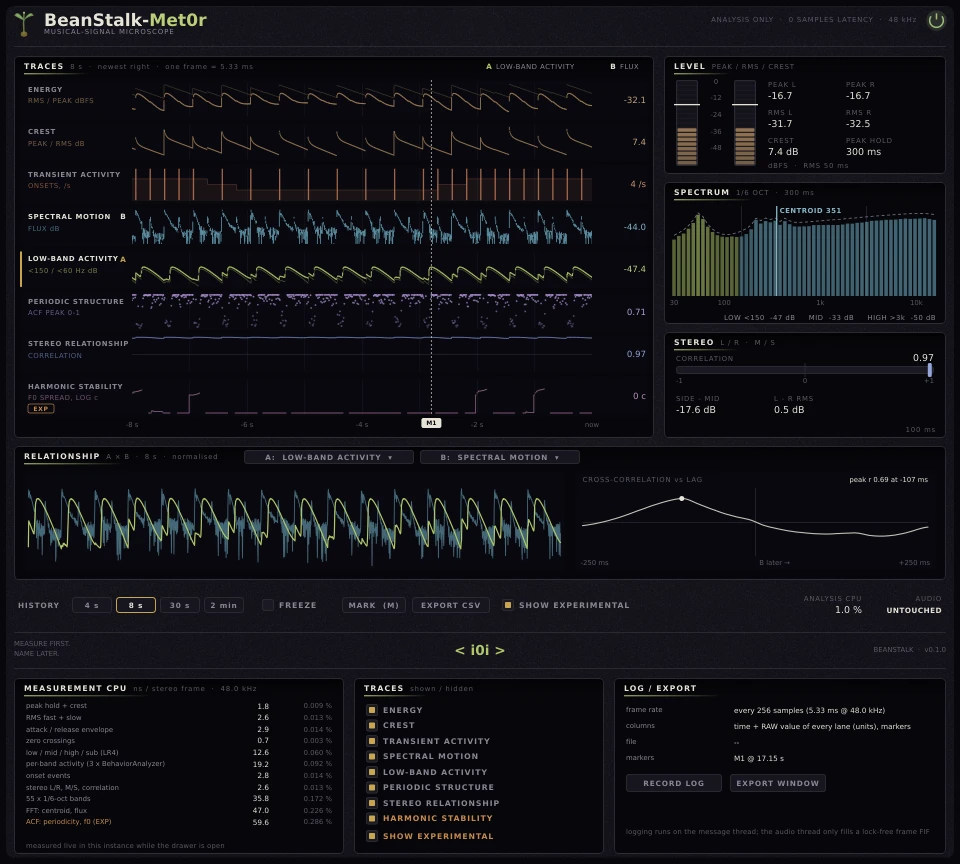
Eight lanes scroll newest-right on the display's own clock, so the picture moves smoothly. Click a lane to make it A; right-click or Alt-click to make it B, and the Relationship panel plots them against each other with a cross-correlation over lag.
The BeanStalk-Met0r front panel on a dark background. On the left, eight scrolling lanes: Energy, Crest, Transient Activity, Spectral Motion, Low-Band Activity, Periodic Structure, Stereo Relationship and Harmonic Stability, each with a muted colour of its own and a right-edge readout. On the right, a Level meter with peak, RMS and crest readouts, a 1/6-octave Spectrum, and a Stereo correlation view. Below, a Relationship panel with two overlaid traces and a cross-correlation curve, and a controls row with History, Freeze, Mark, Export CSV.
The front panel (a render of the plugin's own editor fed a synthetic drum-and-pad signal; not a host capture).
Signal flow

The audio never goes through the meter.

The audio thread only reads. Measurements are computed in a JUCE-free core, handed across a lock-free FIFO, and everything you see is drawn from that history.

INSTEREOprocessBlockREAD-ONLY · NEVER WRITESMEASUREMENT COREJUCE-FREE · NO ALLOCATIONFRAME FIFOLOCK-FREE · EVERY 5.33 msHISTORY4 s · 8 s · 30 s · 2 minVIEWPORTTRACES · LEVEL · SPECTRUM · STEREOCSVRAW COLUMNS, OWN UNITSOUTBIT-IDENTICAL TO INAUDIO — PASSED THROUGH UNTOUCHED, ZERO LATENCY
Read-only audioprocessBlock never writes the buffer. Output is bit-identical to input, with zero reported latency.
Headless coreThe measurement core is allocation-free and block-size invariant, and is tested against analytic signals at sample rates from 44.1 to 192 kHz.
Frame per 5.33 msOne feature frame every 256 samples at 48 kHz; the hop scales with sample rate so time constants stay in milliseconds.
Raw exportEvery frame's raw values, in their own units, before any display scaling, can be logged continuously or exported for the visible window.
Controls

Lanes, views, history.

ENERGYRMS / peak · dBFSFast RMS (50 ms) and peak of both channels.
CRESTpeak / RMS · dBHow peaky the signal is against its own level.
TRANSIENT ACTIVITYonsets · per secondDetected onsets as ticks, with their running density.
SPECTRAL MOTIONflux · dBHow fast the spectrum is changing.
LOW-BAND ACTIVITY<150 Hz and <60 Hz · dBEnergy of the bottom end, with the sub band as a second trace.
PERIODIC STRUCTUREACF peak · 0 – 1How strongly the signal repeats within 1 – 20 ms.
STEREO RELATIONSHIPcorrelation · −1 … +1L/R correlation, with side-minus-mid and L–R level in the Stereo panel.
HARMONIC STABILITYEXP · f0 spread · centsAn experimental pitch-candidate spread. Marked EXP, drawn dashed, and hideable with one switch.
RELATIONSHIPA × BPick any two lanes; see them overlaid and their cross-correlation over ±250 ms.
HISTORY · FREEZE · MARK4 s · 8 s · 30 s · 2 minChoose the window, freeze the display (the log keeps recording), and stamp a marker with the M key.
EXPORT CSVraw columnsThe visible window with every raw column, markers, and a relationship file.
The <i0i> markfooter, dead centreOpens the drawer: live CPU per measurement, lane visibility, continuous Record Log, and Export Window.
The bean-sprout marktop-leftShows or hides the lane readouts.
Power lighttop-rightAnalysis on / off. The audio is untouched either way.
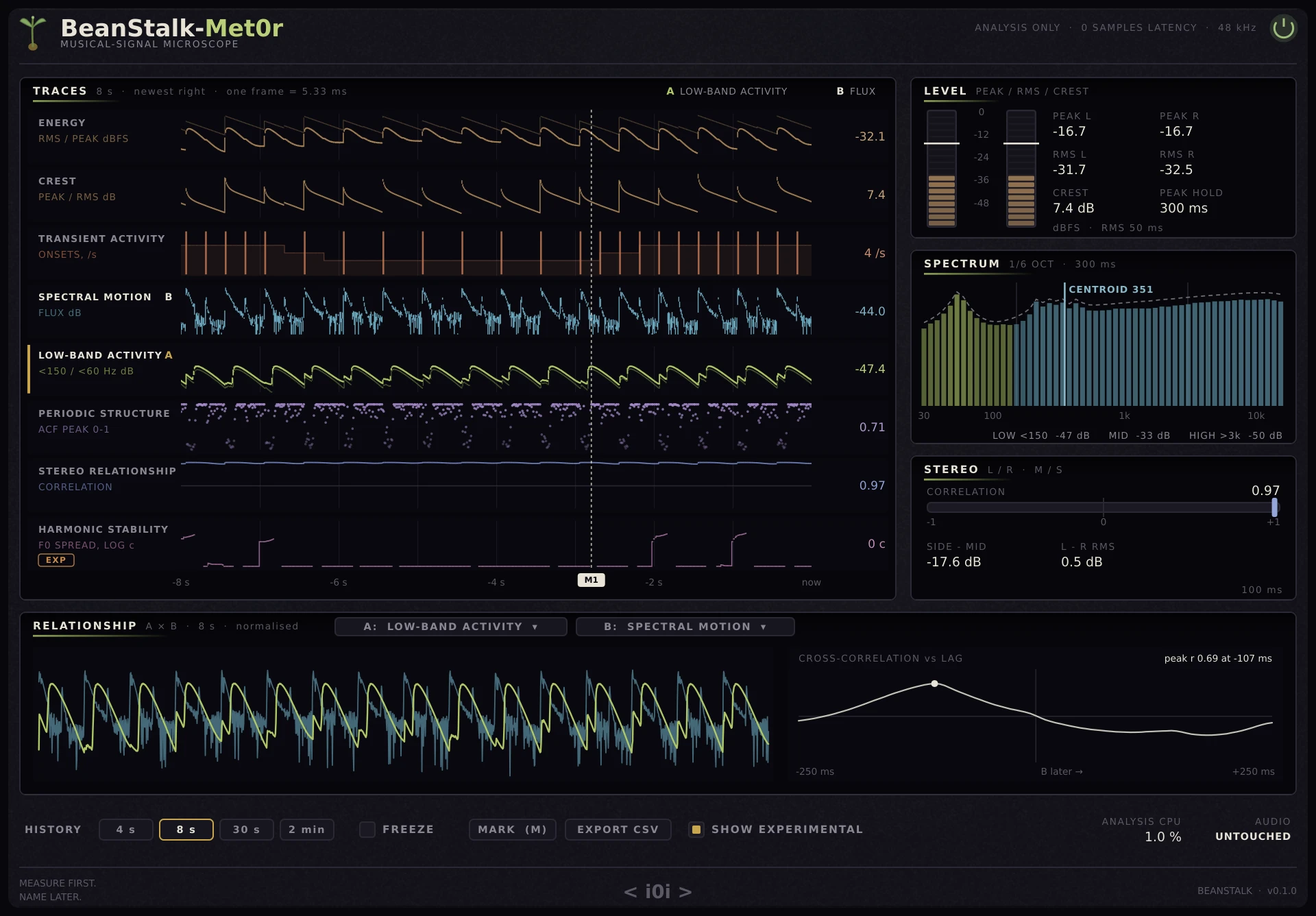
The same panel with the drawer open below: a Measurement CPU table with nanoseconds per stereo frame for each measurement, a Traces list with a checkbox per lane, and a Log and Export section with Record Log and Export Window buttons.
The drawer — what each measurement costs, which lanes are shown, and the log controls.
How to use it

Where it earns its place.

See what changedPut it before and after a processor and compare the same lanes over the same window.
Check the low endWatch LOW-BAND ACTIVITY and STEREO RELATIONSHIP while you adjust a bass or a width control.
Find the groove structureUse TRANSIENT ACTIVITY and PERIODIC STRUCTURE to see how regular a part really is.
Plot one thing against anotherPick two lanes in RELATIONSHIP to see whether they move together, and with what lag.
Take the numbers awayRecord a log of a whole pass and open the CSV in anything.
Leave it in the chainIt costs about 1 – 2 % of one core and never alters the signal.
A few things to know before you download
What it isn't

Read this before you download.

Not a loudness meterNo LUFS and no true-peak. Peak, RMS and crest give the basic level picture.
No scoresIt reports quantities, never judgements such as groove, excitement or emotion.
One lane is experimentalHarmonic stability (the pitch-candidate spread) is marked EXP. It is only meaningful on clearly pitched material.
Early releasev0.1.0. The measurements are tested against known signals, but it has not been run in every host.
Technical details and verified specs
Technical

Verified specifications.

FormatsVST3 · Standalone application
Operating systemsWindows (64-bit) · Linux (64-bit)
ChannelsStereo in, stereo out
AudioBit-identical to input; never written
Latency0 samples
Frame rate256 samples per frame (5.33 ms at 48 kHz); scales with sample rate
Sample rates44.1 – 192 kHz
CPUAbout 1 – 2 % of one core at 48 kHz stereo with the drawer closed (measured)
Export98 raw columns per frame, markers, self-describing CSV
BuildsTwo tiers per platform: a legacy VST3 for any 64-bit CPU, and a VST3 + Standalone build for CPUs with AVX2
Version0.1.0

Measure first. Name later.

Met0r is pay-what-you-want, and free is a fair price. VST3 and Standalone, Windows and Linux. More platforms may follow.

Get Met0r on Gumroad

More BeanStalk plugins

See all plugins →